
Troubleshooting Your Washing Machine That Won't Drain
August 14, 20266 min readWasher
Is your washing machine not draining? Discover practical tips to troubleshoot this common issue and when to call Decatur Solution Works.
Introduction
A washing machine that won’t drain can disrupt your day and leave you with a pile of wet clothes. Luckily, this is a common issue that homeowners face, but it can often be resolved with some simple troubleshooting steps. In this guide, we'll walk you through practical solutions and let you know when it’s time to call in the professionals at Decatur Solution Works.Check the Drain Hose
One of the first things you should examine is the drain hose. A kinked or clogged hose can prevent water from draining properly.Troubleshooting Steps:
- Inspect the Hose: Make sure the drain hose is straight and not kinked. If it’s bent, straighten it out.
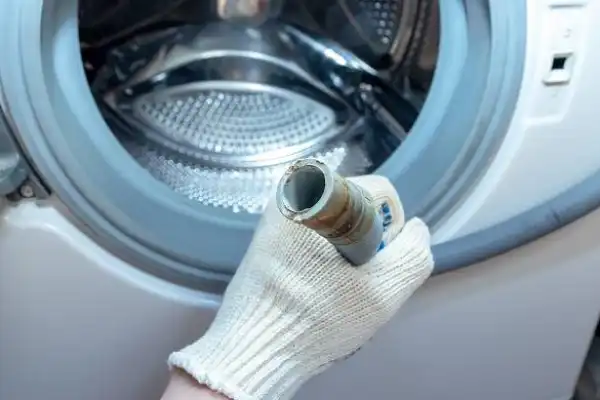
- Check for Blockages: Disconnect the hose from the washing machine and inspect its interior for lint and debris. Rinse it thoroughly.
- Reposition the Hose: Ensure the hose is installed at the correct height to reduce the risk of siphoning, which can also lead to drainage issues.
Examine the Drain Pump
The drain pump is responsible for pumping water out of the washer. If it’s blocked or malfunctioning, your machine won’t drain.Troubleshooting Steps:
- Listen for Noise: When the machine should be draining, listen for the sound of the drain pump. If it’s silent, this could indicate a problem.
- Check for Obstructions: Unplug the washer and look for any obstructions in the pump. Sometimes, small items like coins or lint can get lodged in there. Remove any blockages carefully.
- Test the Pump: If you have a multimeter, you can test the pump for continuity. If the pump is faulty, it will need to be replaced.
Check the Lid Switch
If the lid switch is malfunctioning, your washing machine won't continue the cycle, including draining.Troubleshooting Steps:
- Test the Switch: When the lid is closed, you should hear a click. If you don’t hear this, the switch could be defective.
- Inspect for Damage: Look for any visible damage to the lid switch or loose wires. If you find any issues, it’s best to call a professional.
Look for Clogged Filters
Some washing machines are equipped with a filter that can become clogged over time, leading to drainage issues.Troubleshooting Steps:
- Locate the Filter: Refer to your washing machine’s manual to find the filter.
- Clean the Filter: Remove and clean any debris from the filter regularly to maintain optimal performance.
Final Steps
After trying these troubleshooting steps, your washing machine may still not be draining. If that’s the case, it could indicate a more complex issue, such as a defective control board or wiring problems.When to Call a Professional
If you’ve tried the above fixes and the issue persists, it’s time to contact a professional appliance repair service. Attempting repairs on your own can sometimes cause more damage, leading to larger repair bills.At Decatur Solution Works, we offer same-day appliance repair services across Decatur, Stone Mountain, Lithonia, Tucker, Conyers, and the greater DeKalb County area. Our team of skilled technicians can diagnose the problem and get your washing machine draining again in no time. Give us a call at 678-525-0474 to schedule your service today!